
The board
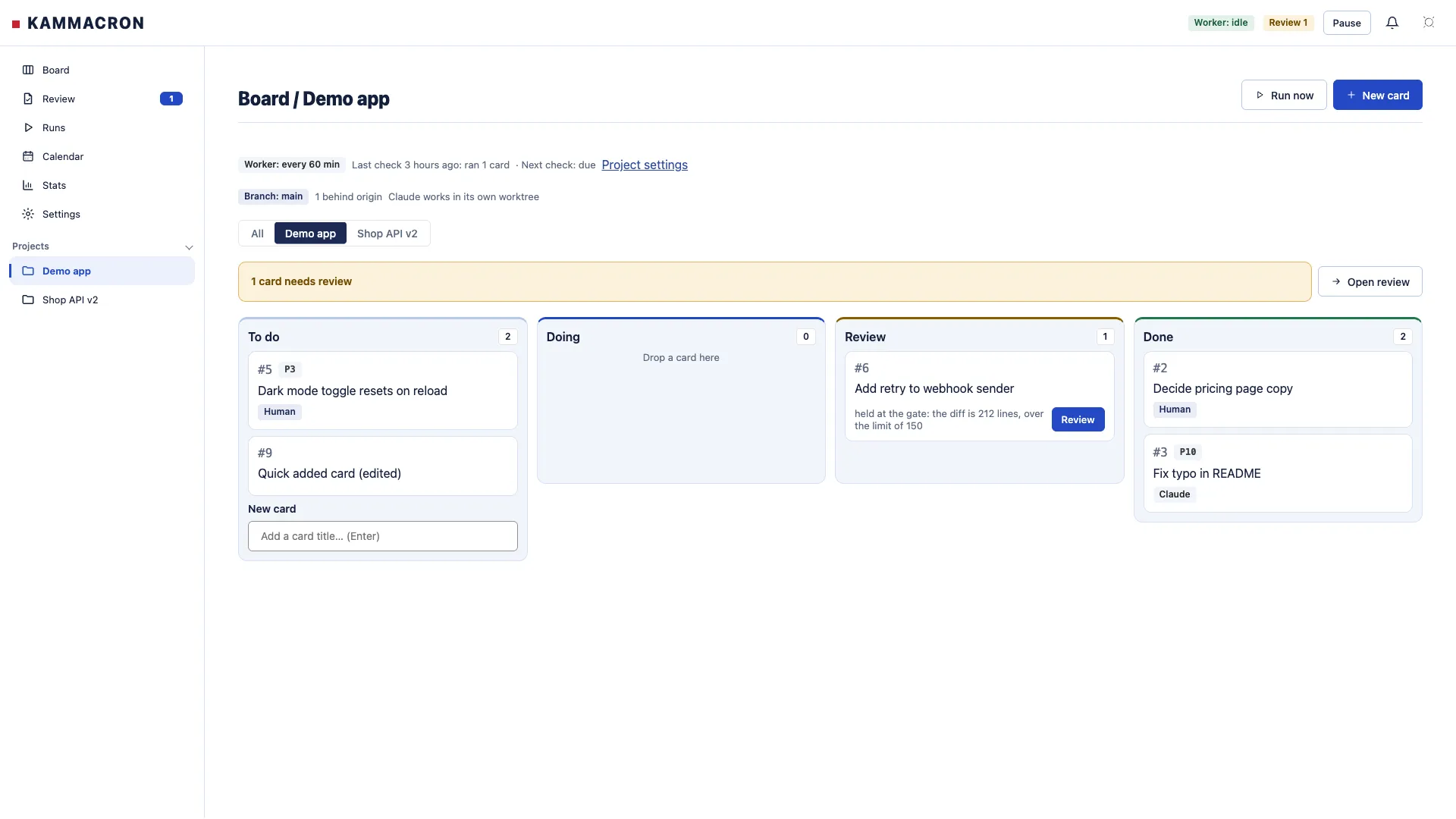
The board has four columns: To do, Doing, Review and Done. It shows one project, or all of them together, and updates live as the worker moves cards. Drag a card to move it, or focus it and use Alt+arrow keys. New card opens the full form; the line at the bottom of To do adds a card by its title and Enter.
What a card carries
Section titled “What a card carries”| Field | What it does |
|---|---|
| Title, body | The task, in Markdown. Paste or drop a screenshot into the body: the worker copies the card’s images where Claude can open them. |
| Owner | Claude adds the claude tag, so the worker may take the card. Human leaves it for a person. |
| Priority | A number; higher is picked first. |
| Tags | Any labels. claude is the one the worker looks for. |
| Waits on | Card numbers (12, 14). The card is not picked until every one of them is done. |
| Discussion | Comments. Claude reads every comment on its next run, and writes its own when it finishes. |
Which cards Claude takes
Section titled “Which cards Claude takes”On a project’s round, a card is picked when it is in To do, tagged claude, not marked human, not archived, every card it waits on is done, and the project’s worker is on. The highest priority goes first. Nothing is ever deleted: cards are archived.
A card Claude cannot finish alone comes back in one of three ways:
- moved to Review with a reason (it could not ship, it hit a limit, it was held at the gate);
- moved back to To do and marked human, with a question in a comment;
- split: Claude creates small
claudecards for the parts it can do, makes this card wait on them, and marks this one human.
See shipping and review for what to do with a card in Review.